 CMSDocumentation

Website administration
Analytics
Analytics shows your website's visitor figures from Google Analytics without leaving the admin. It shows which pages people look at most, how many page views you get each day compared with a year ago, where your visitors are and which browsers they use.
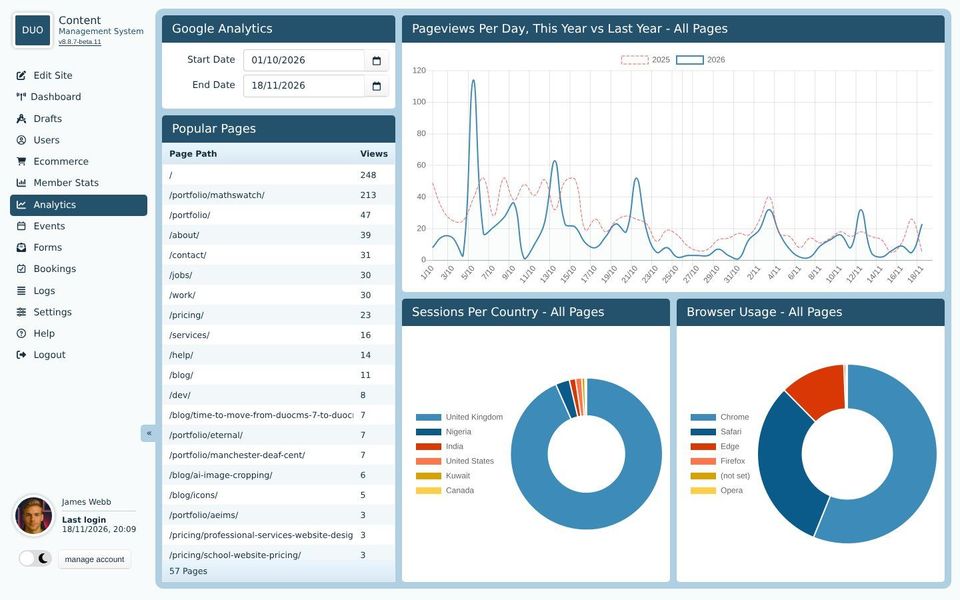
Analytics only appears in the menu once your web developer has turned it on. To show any figures, it also needs your Google Analytics property number under Settings, Services, and your Google account connected under Settings, Integrations.
Choosing the dates
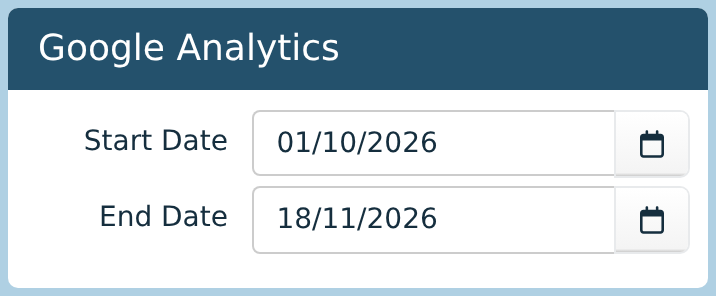
Everything on the screen covers the dates in Start Date and End Date. To begin with, that's the start of last month up to today.
Type a date as day, month, year, or click the calendar button to pick one. The figures update as soon as you change either date.
Google can take a day or so to process visits, so today's figures may still be low.
Popular pages
Popular Pages lists every page that was viewed between your dates, busiest first, with its number of views. / is your home page. Addresses with a question mark in them, such as search results and the editor's own visits, are left out.
Page views per day
The graph shows how many pages were viewed on each day. The solid blue line is this year. The dashed red line is the same dates a year earlier, so you can see whether you're busier than last year. Hover over a line to see the figure for a day.
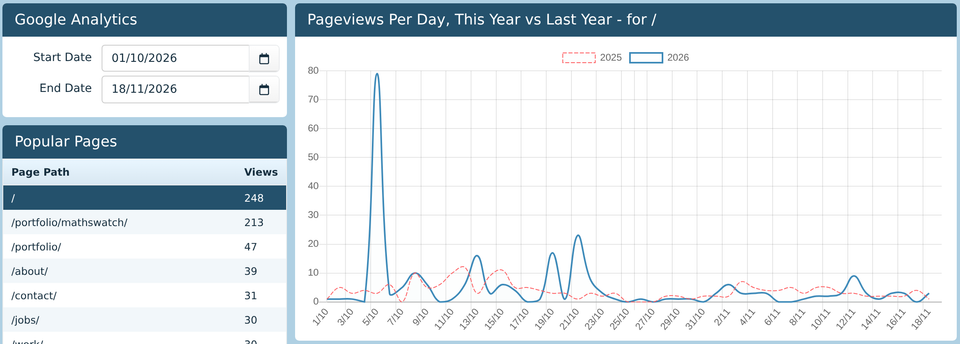
To see the figures for one page, click it in Popular Pages. The graph's heading changes to name the page, and both lines show that page alone. So do the two charts below it. Click the page again to go back to all pages.
Countries and browsers
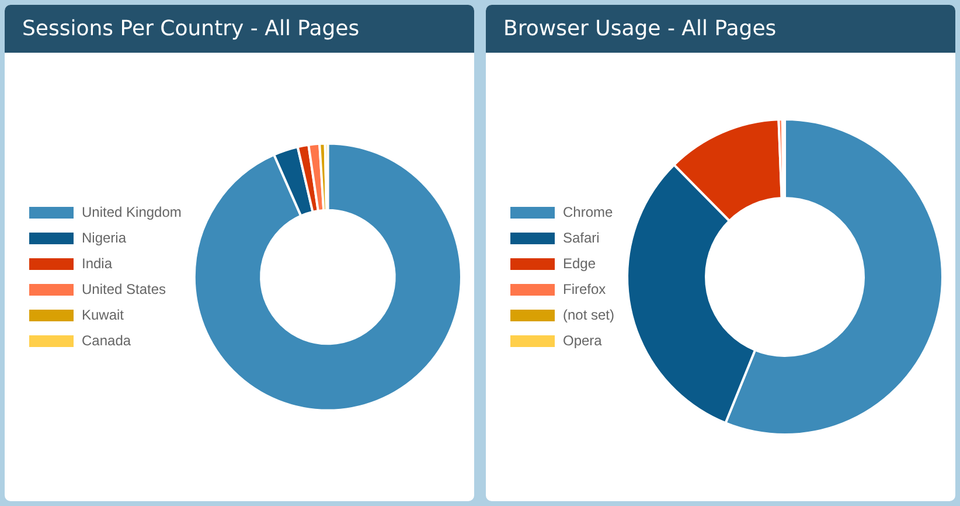
Sessions Per Country shows where your visits came from. A session is one visit, however many pages the person looks at.
Browser Usage shows which web browsers people used, counted by page views. "(not set)" means Google couldn't tell.
Both show the six biggest, and hovering over a slice shows its figure and share. Their headings say whether they cover all pages or just the one you've picked in Popular Pages.
More detail
For anything else, such as where visitors found you, how long they stayed or what they did on a page, sign in to Google Analytics itself.