 CMSDocumentation
Editing guide
Editing your website
These guides show you how to edit your website with DuoCMS: changing text and pictures, adding pages, and keeping the site up to date.
Start with Getting startedWatch the videos
The pictures in these guides come from a demo website. Your own site will look different, but the editor works the same way.
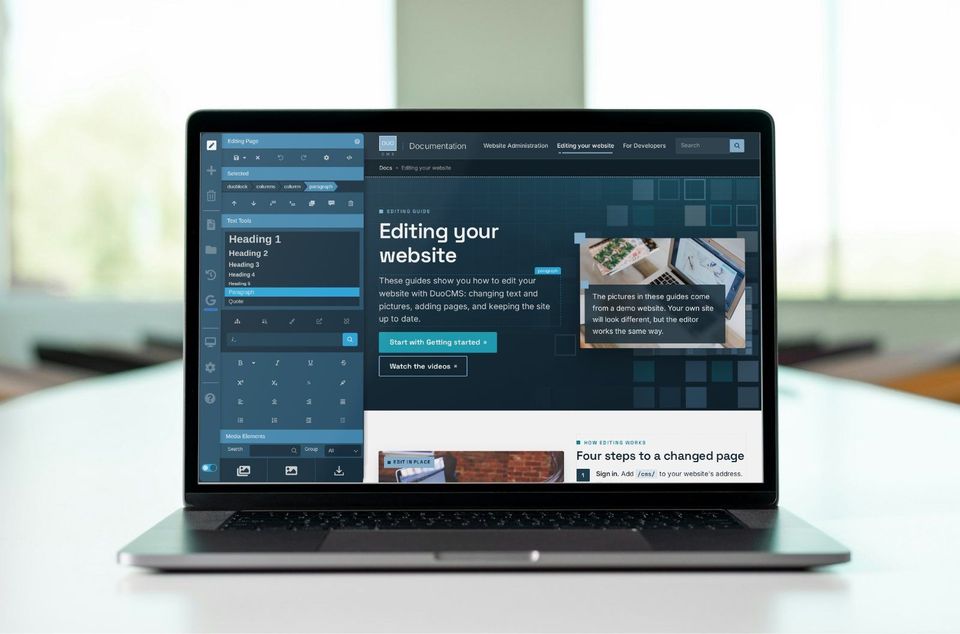
Editing this very page

Edit in place
How editing works
Four steps to a changed page
Sign in. Add
/cms/to your website's address. Signing inGo to the page you want to change, just as a visitor would, and open the toolbar.
Click Edit Page and change the text and pictures right on the page. Editing text
Save. Publish straight away, or keep your changes as a draft. Saving your changes
The chapters
Thirteen short chapters, in the order you'll need them
New to the editor? Start with Getting started, then dip into the others when you need them.
Getting startedSigning in, the main toolbar, opening a page for editing and saving your changes.
Editing textTyping and pasting text, headings, bold and other styles, lists, links, and moving or deleting parts of a page.
Adding imagesPutting pictures on a page from the file library or your computer, describing them, and replacing or removing them.
Editing imagesSize, alignment, captions, styles and links for pictures, and the image editor for cropping, rotating and brightening.
LayoutColumns, blocks, dividing lines and tables.
Media elementsVideos, maps, slideshows, galleries, cards, tabs, details, alerts, downloads, forms, popups, icons, iframes and charts.
SnippetsSaving content once and reusing it on several pages.
Pages and page settingsAdding, moving and deleting pages, menus, and page settings.
Search enginesUsing the SEO panel, page titles, descriptions and keywords, and your website's own search.
The file libraryFinding, uploading, organising and tidying up pictures and documents.
History and draftsBringing back an earlier version of a page, and preparing changes in a draft.
Members and permissionsMembers-only pages and documents, who can edit what, and showing parts of a page to some visitors.
Looking after your siteFixing reported mistakes, checking pages on a phone and in search, and the cookie banner.
Videos
Short videos that show the editor at work, with a voice explaining each step. Each one has subtitles, which you can turn on in the player.
Getting started with your website (2:56)
Formatting your pages (2:23)
Adding images and files (3:30)
Building pages from reusable pieces (3:09)
Blog posts, comments and events (2:55)
Adding interactive features (4:33)
Visitors and members (3:54)
Looking after the site (2:39)
Stuck on something?
If something in these guides doesn't match what you see, or you need a feature your account can't use, ask whoever looks after your website.