 CMSDocumentation

Website administration
Member Stats
Member Stats shows what people do on your website while they're signed in: when they sign in, which pages they look at, and which files they download. It's useful for seeing whether members use the private parts of your site.
It only counts people who are signed in. For everyone else who visits, see Analytics.
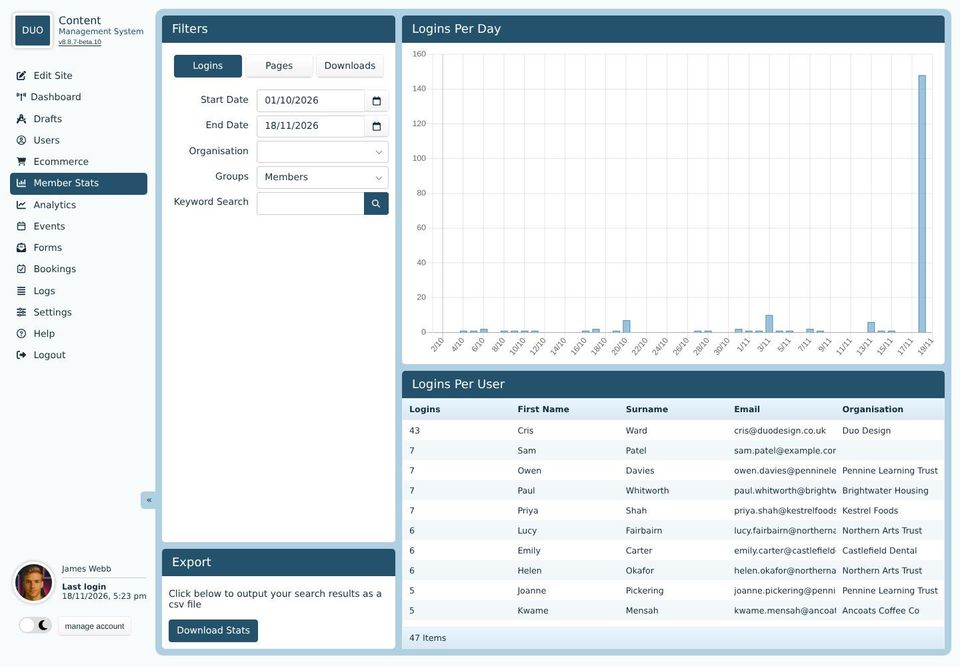
Choosing what to show
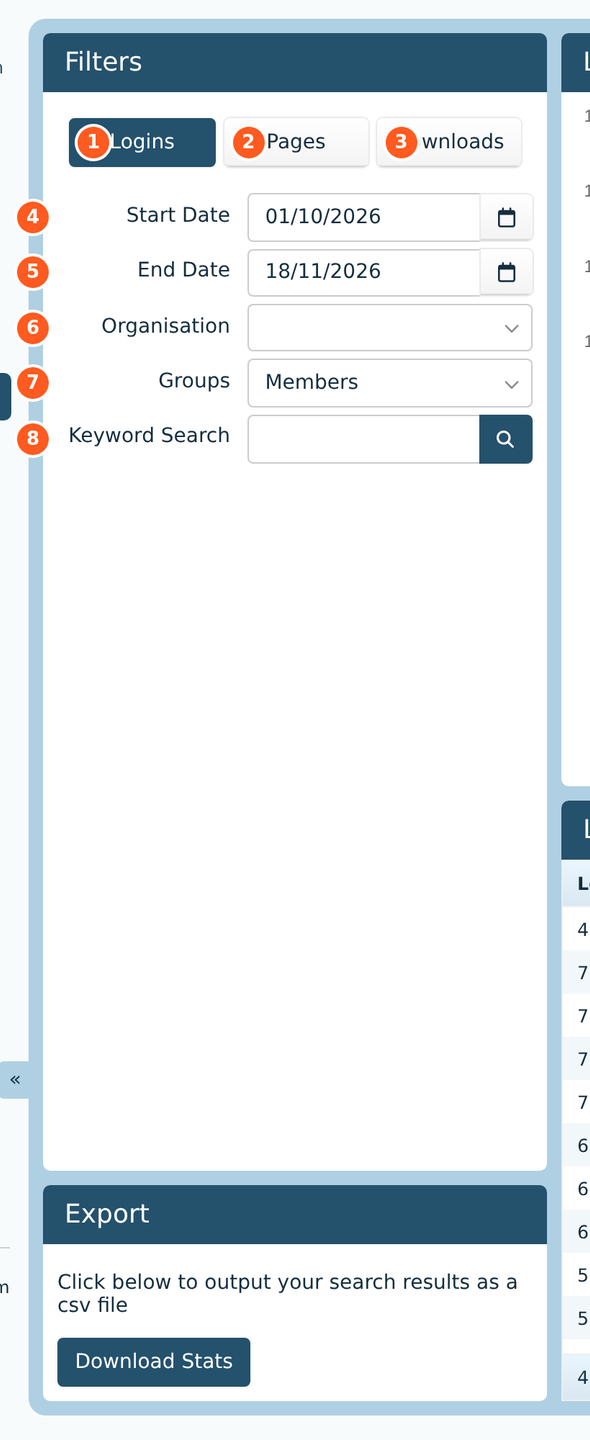
Logins: when people signed in.
Pages: which pages they looked at.
Downloads: which files they downloaded.
Start Date and
End Date: the days to count.
Organisation: only people from one organisation.
Groups: only people in one group. Choose Members to leave out your own staff, whose visits while they edit the site would swamp the figures.
Keyword Search: only people, pages or files matching a word.
Export, under the filters, saves the figures for the dates you've chosen as a spreadsheet file.
Logins
The graph shows how many sign-ins there were each day. The list under it shows each person, how many times they signed in, and their organisation, busiest first.
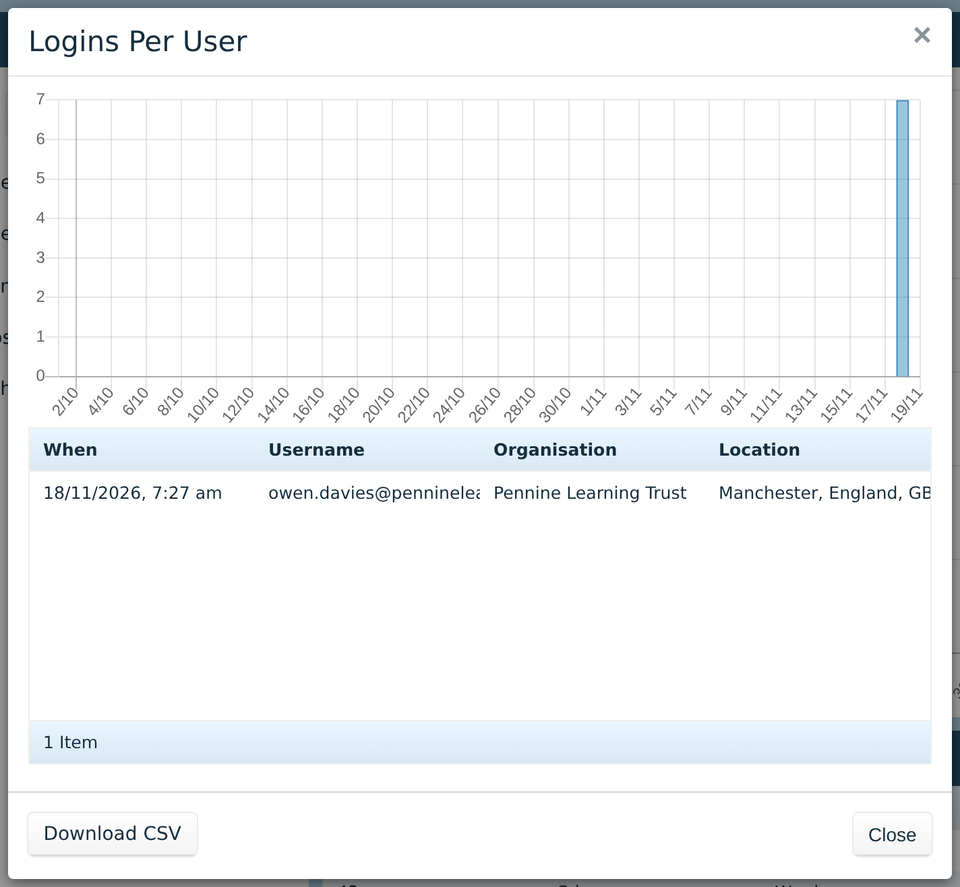
Click a person to see each time they signed in, and roughly where from. The place comes from their internet connection, so it's often the nearest big town.
Download CSV saves their list as a spreadsheet file.
Pages
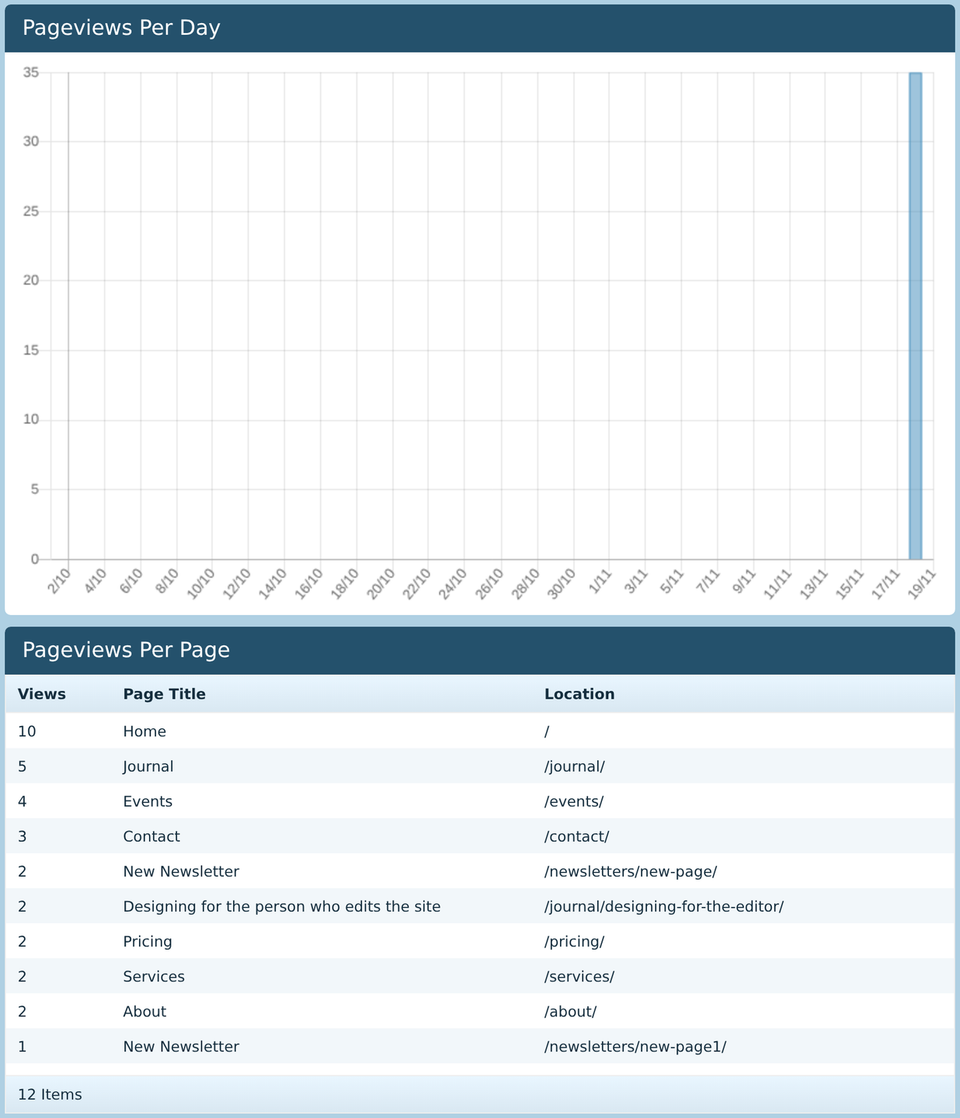
The graph shows how many pages were looked at each day. The list shows each page and how many times it was looked at, most first. Here, the list is filtered to one organisation's people. Click a page to see who looked at it.
Downloads
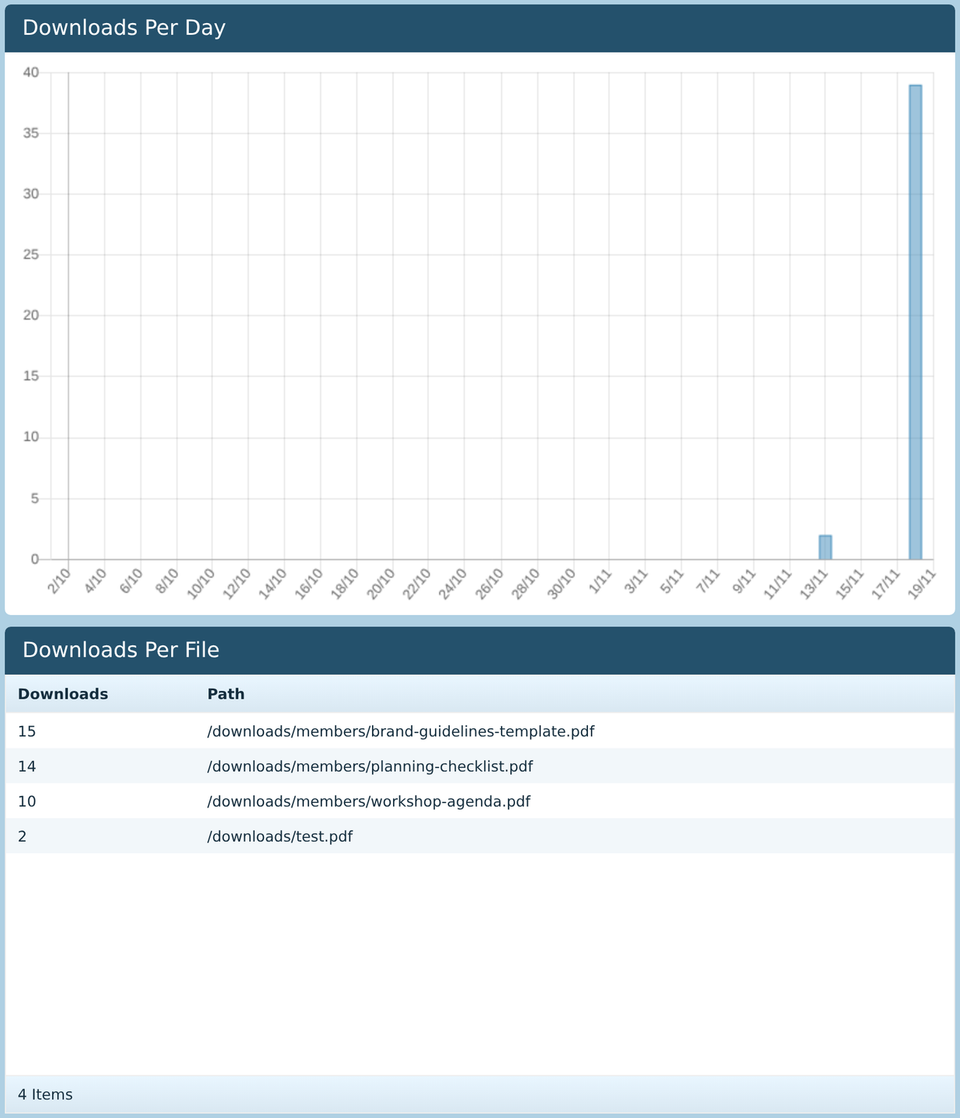
The graph shows how many files were downloaded each day. The list under it shows each file and how many times it was downloaded, most popular first, so you can see which documents your members actually use.
Only files in your file library's downloads folder are counted, such as documents linked from a members' page. Pictures on a page aren't counted.