 CMSDocumentation

Website administration
Organisations
An organisation is a business, school, charity or club that some of your members belong to. It keeps their shared details in one place, and lets you see everyone from one organisation, and everything they've bought, together.
Organisations only appear on websites that use them. Each person belongs to one organisation at most.
The Organisations list
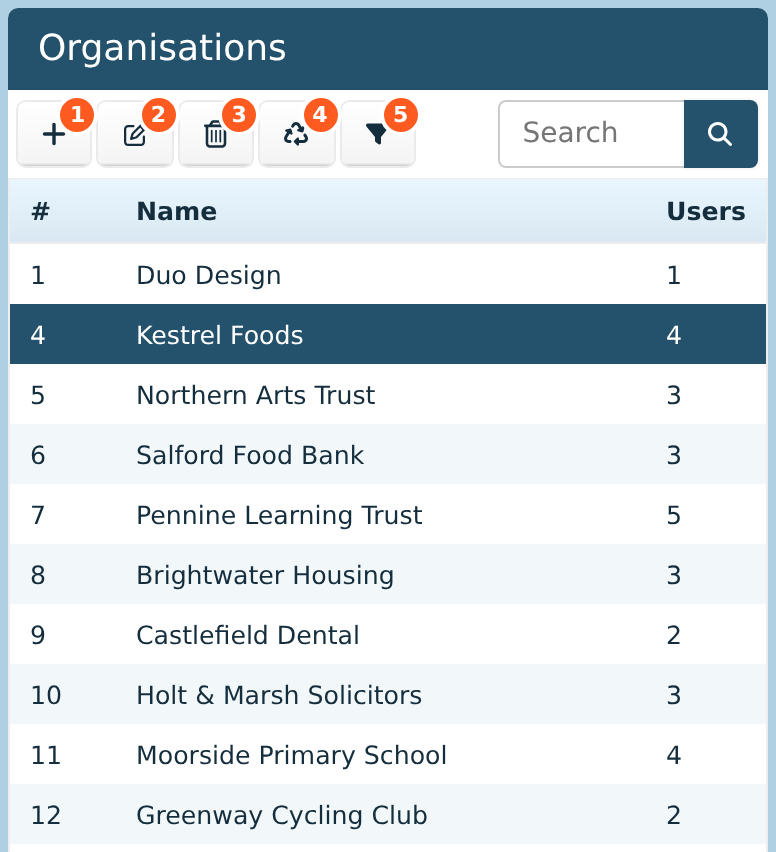
The Organisations list is on the left of the Users screen. The Users column shows how many people belong to each one. Click an organisation to choose it.
Add makes a new organisation.
Edit opens the chosen organisation. Double-clicking it does the same.
Delete removes it, after you confirm. Its people stay on the Users list.
Deleted organisations lists organisations deleted recently, so you can bring them back.
Filter shows only the chosen organisation's people. See below.
Who belongs to an organisation
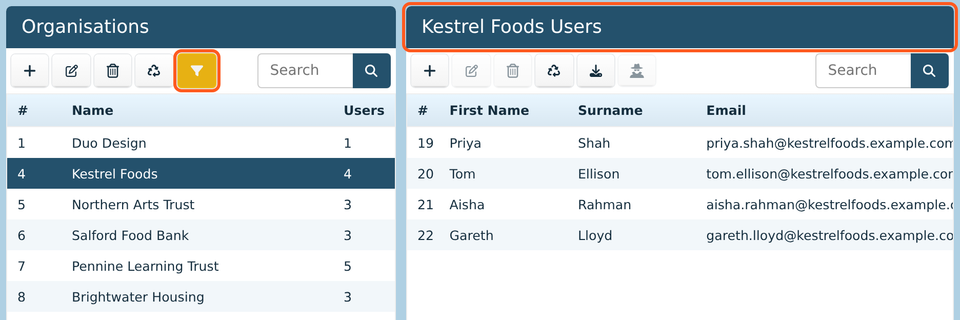
Choose an organisation and click Filter. The Users list then shows only its people, and its heading names the organisation. Click Filter again to see everyone.
To add someone to an organisation, or move them to another one, open them in the Users list and choose it in Organisation on their Details tab. To move several people at once, use Update Multiple.
An organisation's details
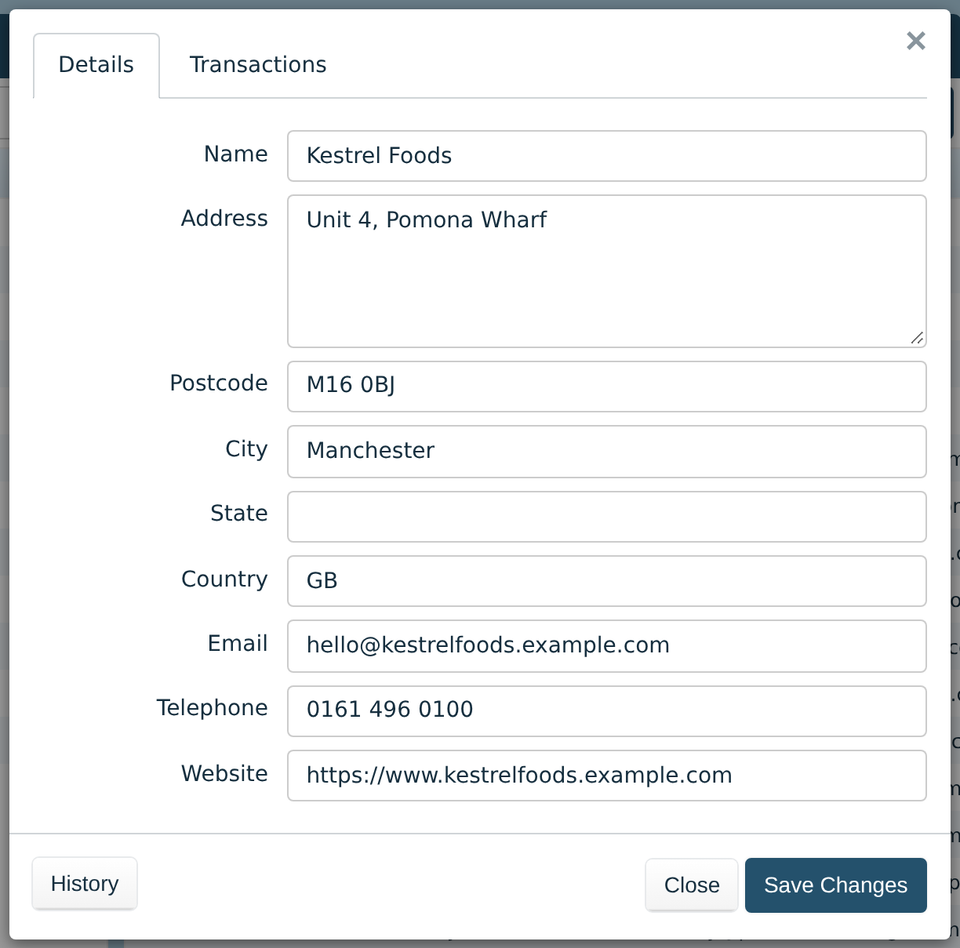
Details holds the organisation's name, address, email address, phone number and website. Change them and click Save Changes.
The address is the organisation's own. Each person keeps their own address too, on their Details tab.
History lists every change made to the organisation, and who made it.
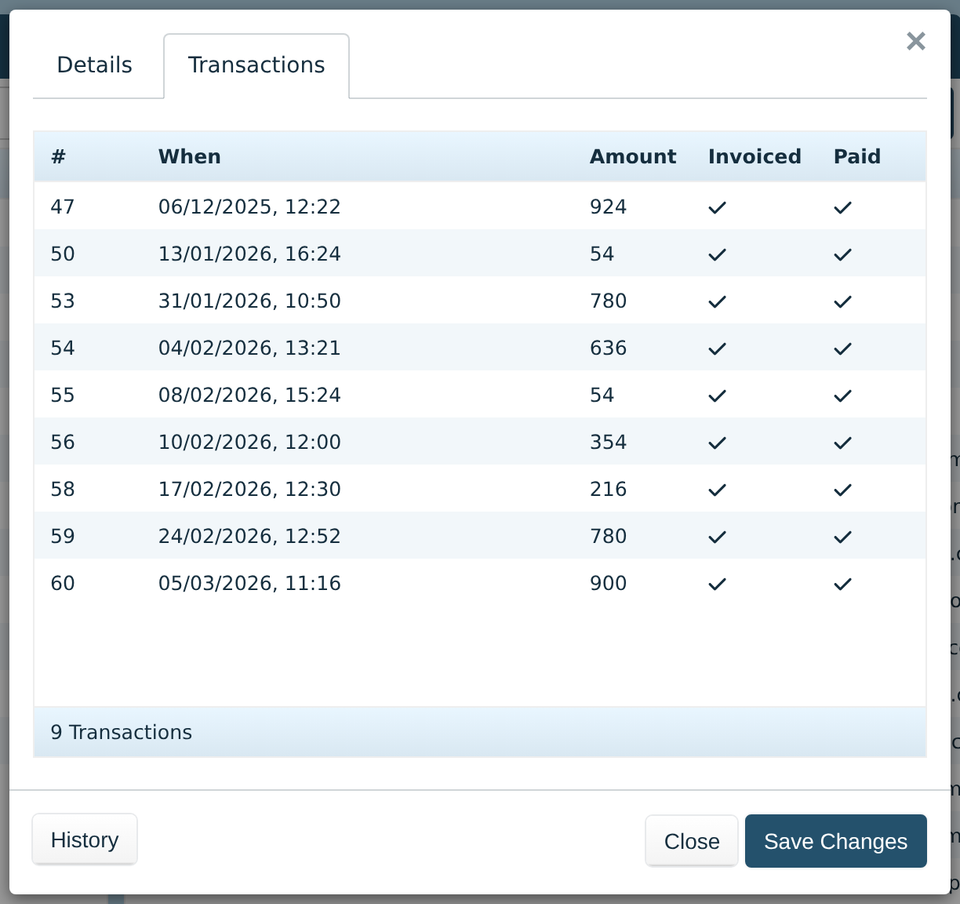
Transactions lists everything bought by the organisation's people, with the date, amount, and whether it's been invoiced and paid. It's only there if your website has a shop.
Using organisations
Download can add the organisation's details to each person's row. Filter by an organisation first to download just its people.
A smart group can be based on organisations, such as every organisation in one city. Its people are then in the group, and get whatever it gives them.