 CMSDocumentation

Website administration
Offers
An offer is a discount code that buyers type in at the checkout. It can take money or a percentage off the whole basket, or off particular products, between two dates.
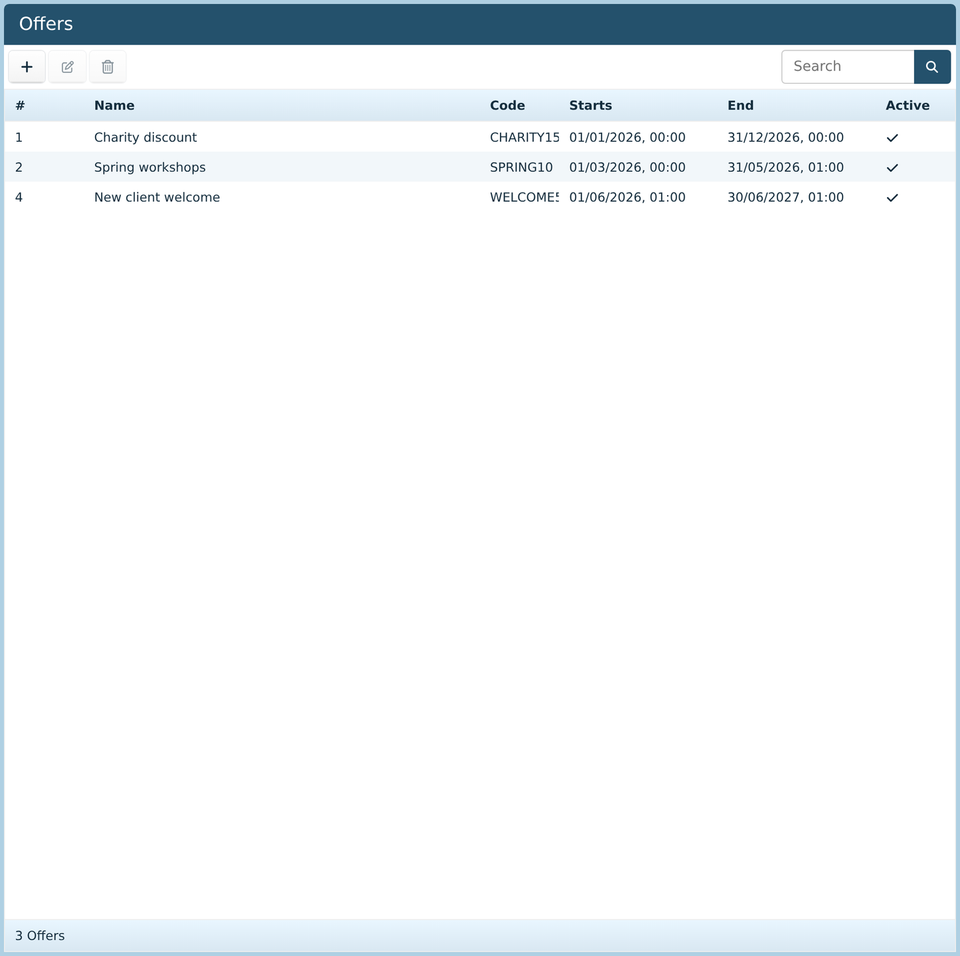
The list shows each offer's code, when it starts and ends, and whether it's on. Click Add to make one, or double-click one to change it.
An offer
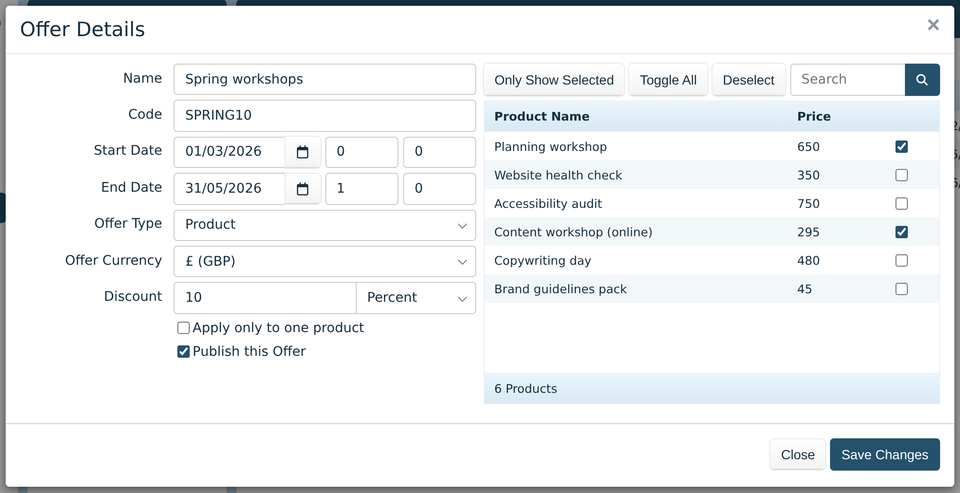
Name is for you. Buyers see the code.
Code is what buyers type at the checkout, such as
SPRING10. Keep it short and easy to type.Start Date and End Date, with the hour and minute beside each, are when the code works.
Offer Type: Basket takes the discount off the whole basket. Product takes it off the products you tick in the list on the right.
Discount is how much to take off, as an amount of money or a percentage.
Min Basket Value, for basket offers, is how much someone must spend before the code works.
Apply only to one product takes the discount off just one item, even if they buy several.
Publish this Offer switches it on. Untick it to stop a code working before its end date.
For a product offer, the list on the right has all your products. Only Show Selected shows just the ticked ones, Toggle All ticks or unticks every product, and Deselect unticks them all.