 CMSDocumentation

Website administration
Postage
Postage sets what delivery costs, and which countries you deliver to. The charge depends on how much the basket weighs, and which zone the delivery address is in.
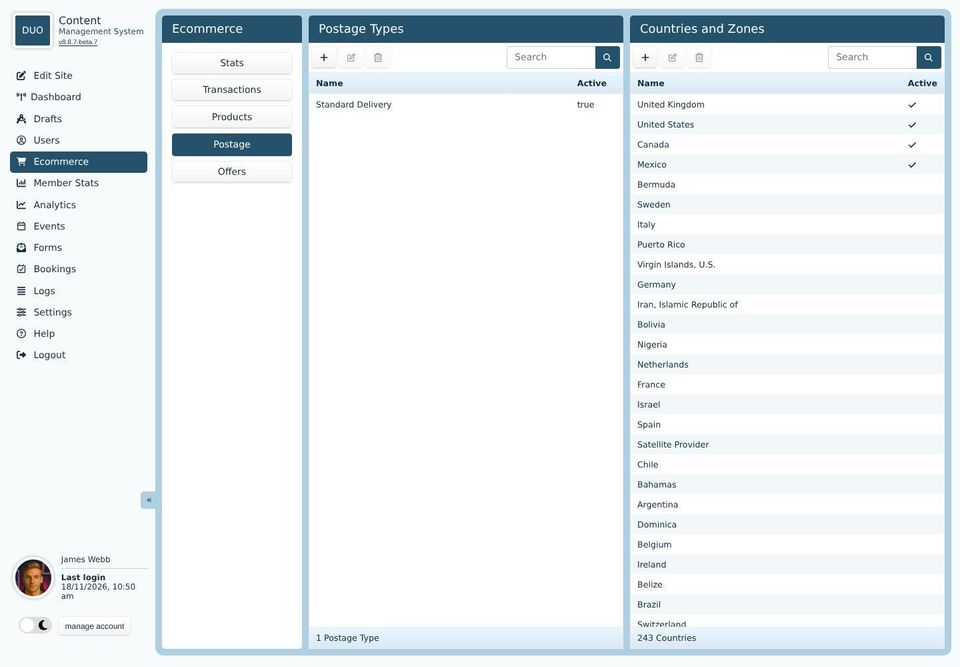
The screen has two lists: Postage Types, the delivery options buyers choose from, and Countries and Zones.
A postage type
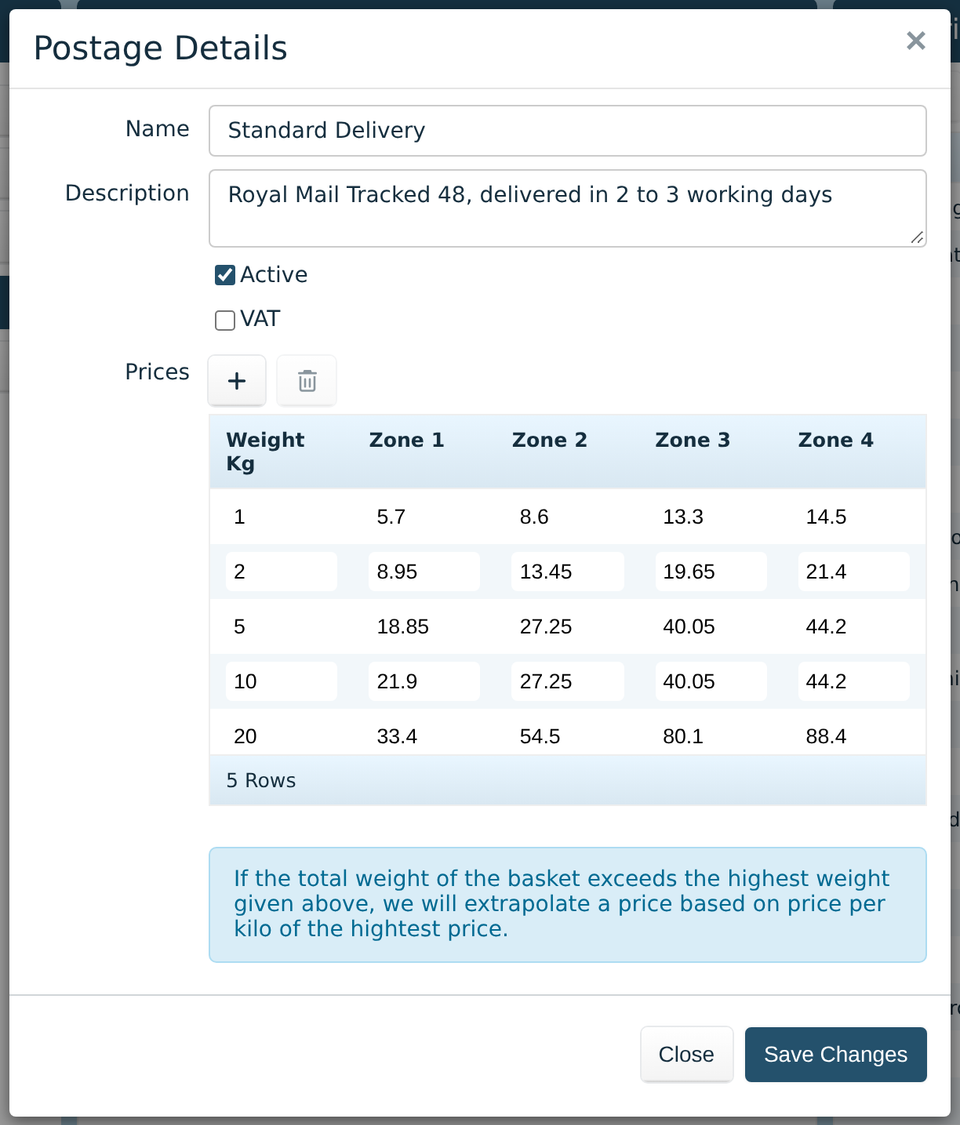
Each postage type is a delivery option, such as standard or next day. Name and Description are what buyers see when they choose it. Untick Active to stop offering it, and tick VAT if VAT is charged on delivery.
Prices is a table: a row for each weight, in kilograms, and a column for each zone. The price for a basket is on the first row at or above its weight. The + adds a row, and the bin removes the chosen one.
If a basket weighs more than the last row, the website works out a price per kilo from the table and rounds it up to the next pound. Add a row for your heaviest likely basket, so you know what it costs.
Countries and zones
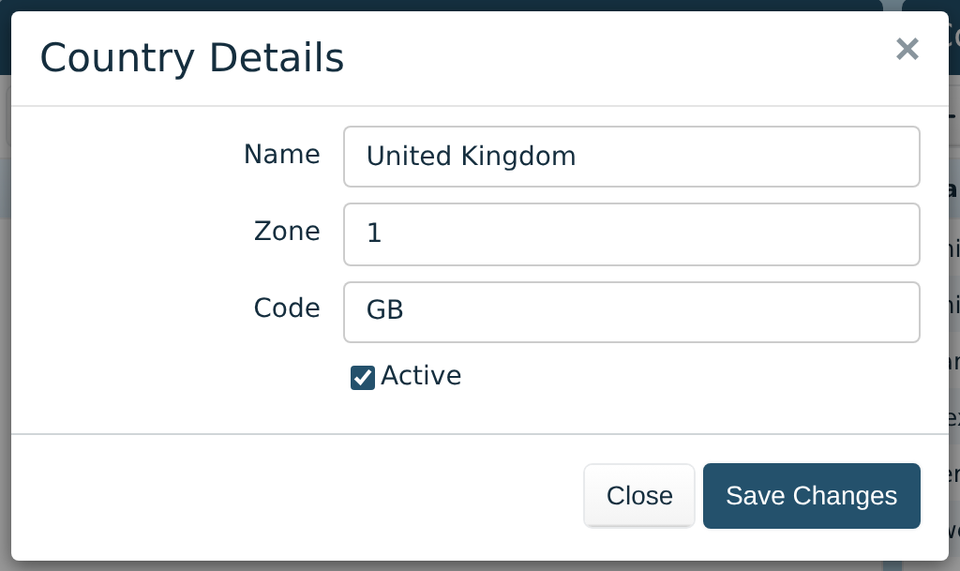
Every country is in the list, but buyers can only choose the ones ticked Active. Double-click a country to change it.
Zone, from 1 to 4, decides which column of prices its deliveries use. For example, the UK in zone 1, Europe in zone 2 and everywhere else in zone 3.
Products with a weight of 0 don't add to the postage. A basket of things that aren't posted, such as services, has no delivery charge.