 CMSDocumentation

Website administration
Booking Settings
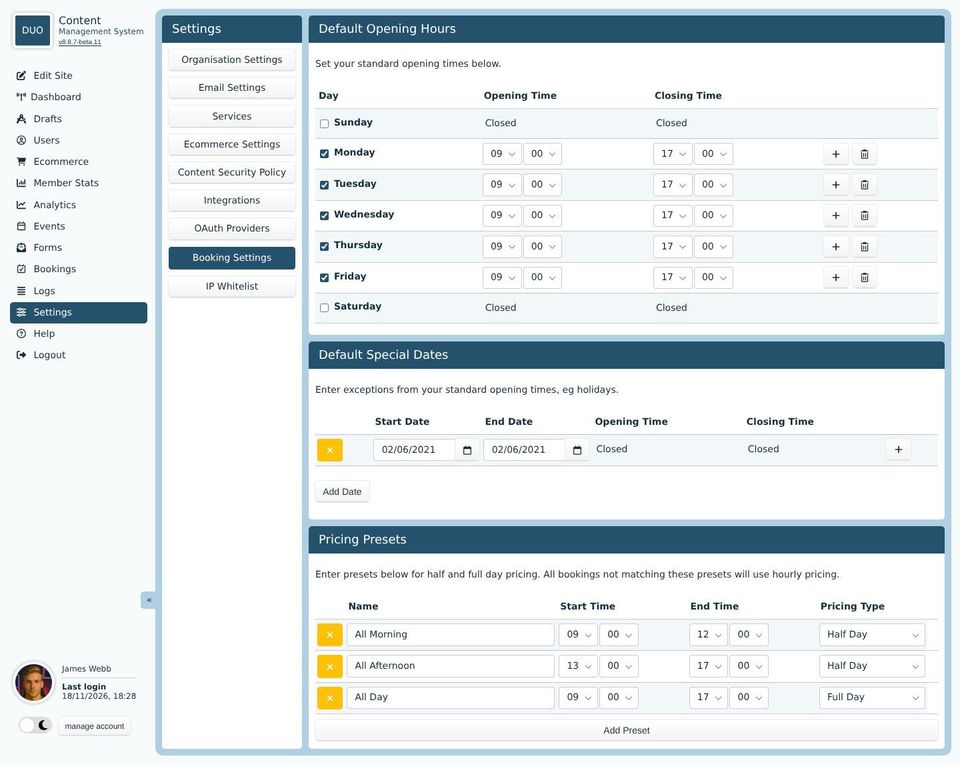
Booking Settings holds the standard opening hours for everything people can book, and the times that are charged as a half or whole day. Each room or asset can have its own hours instead (see Bookings).
Default Opening Hours
Tick the days you're open and set the opening and closing times. The + button adds a second set of times to a day, for example to close over lunch. People can only book within these hours.
Default Special Dates
Days that differ from the usual hours, such as bank holidays. Click Add Date, choose the dates, and set the hours, or leave it as Closed. The yellow button deletes a date.
Pricing Presets
A booking that starts and ends at exactly the times of a preset is charged the asset's half day or full day price. Any other booking is charged by the hour. For example, with "All Morning" set to 9:00 to 13:00 as a half day, a 9 to 1 booking costs the half day price.
Click Add Preset to add one, and give it a name, start and end time, and pricing type.