 CMSDocumentation

Website administration
OAuth Providers
OAuth lets people sign in to your website with an account they already have, such as Google or Microsoft, so they don't need another password.
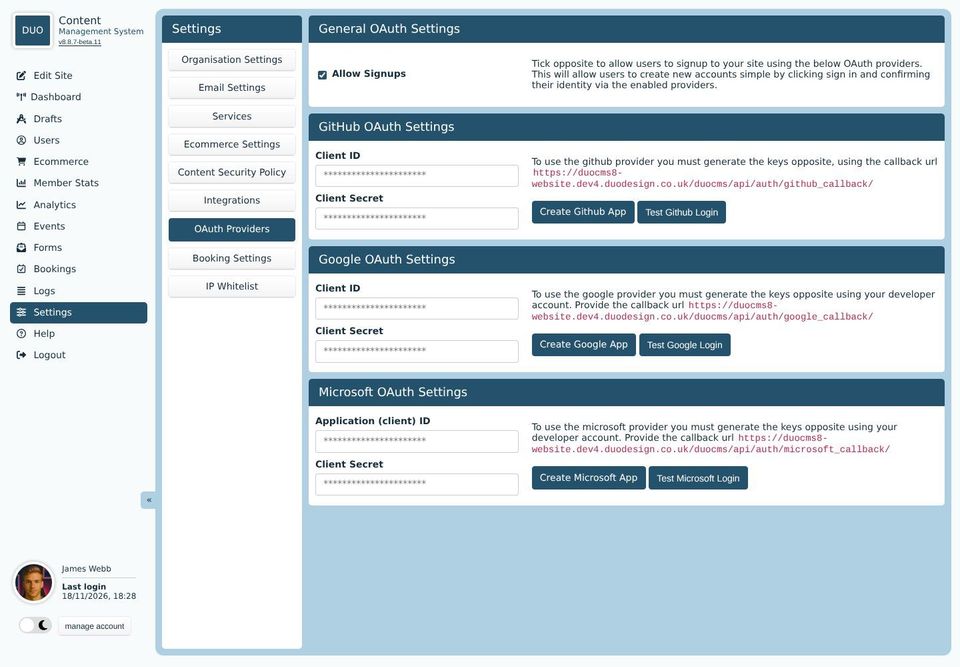
For each provider you want to offer, you register your website with that company and copy the Client ID and Client Secret they give you into the boxes. The buttons open the right page to do it, and the note beside each one gives the callback address to paste in when they ask for it. Test Login checks it works.
Once a provider is set up, your website's sign-in form can offer it alongside the usual email and password.
Allow Signups
With Allow Signups ticked, someone without an account can make one just by signing in with a provider. Untick it if only people you've added in Users should get in.